
Inhoud

 Joomla!
Open source content management system
Joomla! is an award-winning content management system that enables you to build, edit, and manage your website without any technical knowledge.
Build a simple brochure site or an interactive online business front. Or, build what you need for your business. The open source application framework allows developers to build custom applications. Best of all, with Joomla!, you own what you create.
-
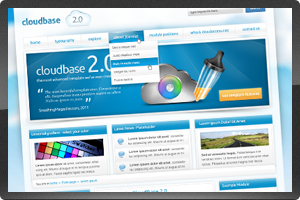
 Look great with no effort
Joomla! has thousands of professionally designed and developed templates available, all of which install easily with a few clicks, and look great right out of the box. If you know a little HTML and CSS, you can easily customize the template. Need a completely unique look? Custom Joomla! templates are an option.
Joomla! templates are all built with a variety of module positions, which allow you to assign unique content to a specific location on a page, for complete flexibility.
-
 Plug-and-play functionality
One of Joomla!’s most powerful features is its extendability. The Joomla! community has built over 7,000 applications that install into Joomla! with a couple clicks, much like you would install an app on your iPod or iPhone.
These Joomla! extensions include social communities, shopping carts, photo galleries, and file storage to name a few. Save hundreds of thousands of development dollars by using apps that are already built and supported. Check now on extensions.joomla.org.
-
 Access Level Control
Control who has access to view specific content, and who can edit or publish content in both Joomla! 1.5 and 1.6. With Joomla! 1.6 however, ACL has been far expanded, including:
- Unlimited user groups
- Unlimited access levels
- Any combination of groups can be assigned to any access level
- Access permissions can be set at multiple levels in hierarchy
- Permissions can be inherited from parent groups and parent categories
-
 Images, Audio, Video
Yes, you can have video on your Joomla! site. There are several extensions that make it easy to add a single video, or an entire video playlist. Stream from YouTube, Vimeo, or play directly from video file. The same is true for audio files. Looking for broadcasting? That’s possible, too. For images, choose from a variety of extensions for photo galleries and slideshows.
-
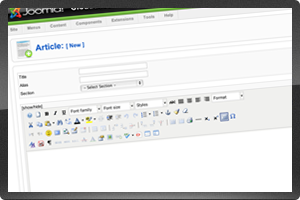 Click to Edit
Everything you need to build and edit your website is available in Joomla!’s backend editor, called the Joomla! Administrator. Create menus and pages, add images and links, install a new template or extension. All with a few clicks, and with no technical or HTML knowledge required. You can also quickly edit from the frontend of your website, too.
-
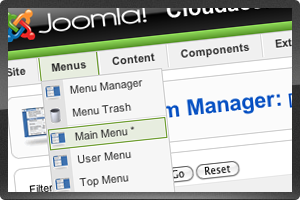 Intuitive organization
All of the pieces of your website are organized by function. Manage your menus in Menu Manager, where you can create unlimited nested menus. Manage your pages in Article Manager, where you can organize by sections and categories in Joomla! 1.5, or by unlimited nested categories in Joomla! 1.6. Manage your media files in Media Manager, where you can upload images, videos, pdfs, and more.
Core Joomla!
Functionalities available with Joomla!, out of the box
-

 SEO friendly
Joomla! is, by default, SEO friendly with semantic URLs and easy-to-manage meta tags.-
 Multi-language support
18 different languages available, click to select. -
 Contact forms
Create unlimited contact forms, simply. -
 Custom HTML
Add your own custom HTML, or custom content using the WYSIWYG editor, to any page. -
 Registration & Login
Allow visitors to register, then login to access special content. -
 Banners
Collect revenue from your website by selling space for advertising banners. -
 Web links
Easily publish and manage a list of Web links on the frontend of your website.
-
-
 News feeds
Display an RSS feed, or multiple feeds, on your website. -
 Search
Easily add search to your site, and also see statistics for search text and times requested. -
 Breadcrumbs
Give visitors a way to keep track of their location within the website by adding breadcrumbs. -
 Latest news
Display a list of links to most recently added articles, especially useful for news articles. -
 Newsflash
Display a rolling list of content items from a specific section or category. -
 Who’s online
Display of the number of registered and unregistered vistors connected to your website.
-
-
-
 Archived content
Display a list of content that has been archived, organized by month and year. -
 Syndicate
Display a pictorial list of all the feed types that are available on your website web site. -
 Wrapper
Link to an outside website, within a “wrapper” of your website so visitors don’t leave your site. -
 Related items
Display a list of related items, based on similar keywords. -
 Most read
Display a list of links to the most read articles. -
 Random image
Display a rotating, random image from a specific image folder.
-


